What is a worksheet generator?
A worksheet generator is a tool that helps teachers create practice questions, revision exercises, homework sheets, and assessment material for a topic or chapter.
Create textbook-based worksheets in seconds. Select your board, class, subject, textbook, chapter, question types, difficulty level, and language. OneSkool creates ready-to-use worksheets for practice, revision, homework, and classroom assessment.
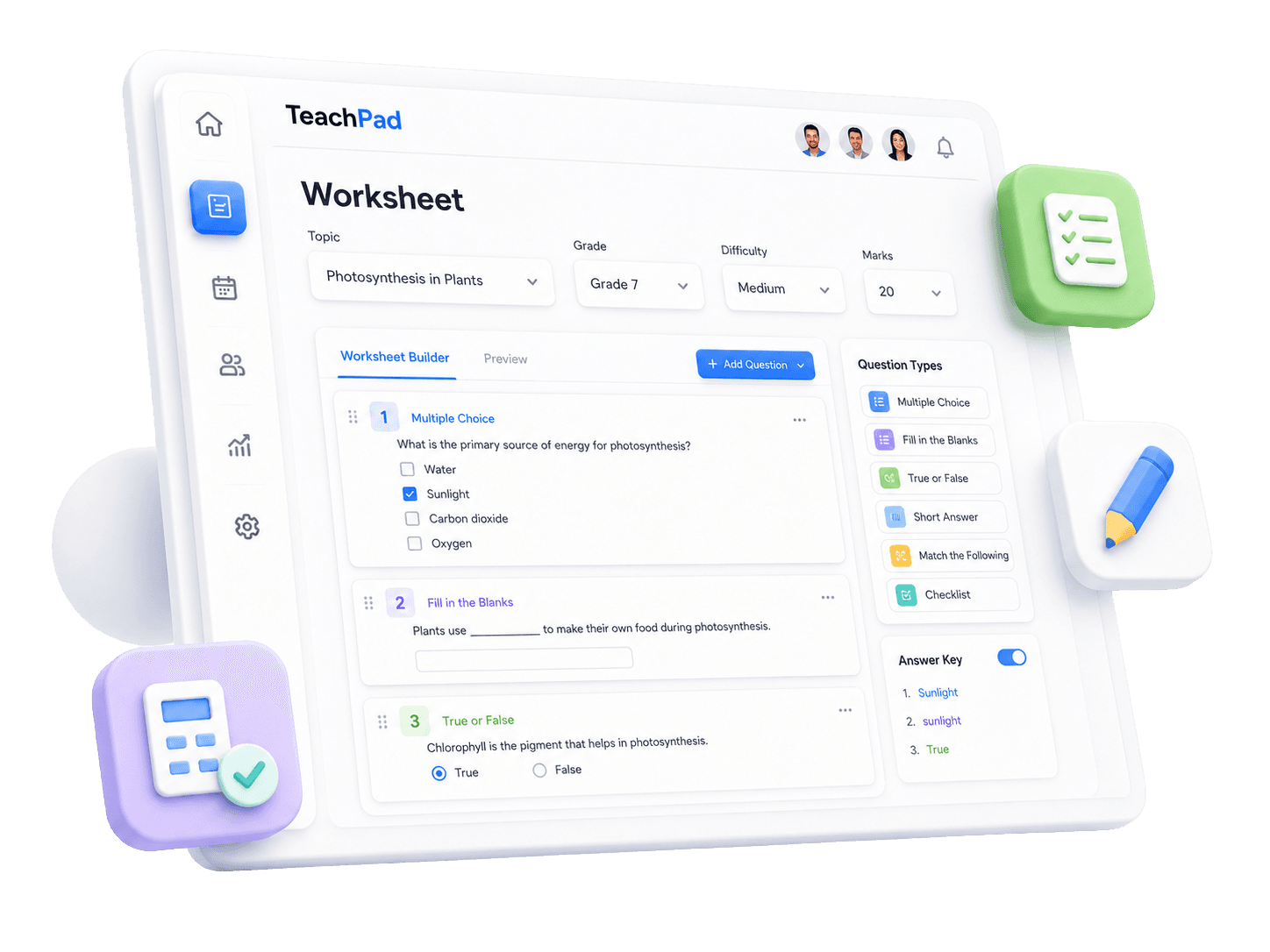
OneSkool is a textbook-based worksheet generator for teachers who want practice material to match the chapter they are teaching. Select the curriculum details, choose the question style, and create a worksheet that supports classroom practice, homework, revision, or quick assessment.
It helps school teachers, tutors, coaching teachers, and academic content creators prepare chapter worksheets without starting from a blank document.
Select board/curriculum, class, subject, textbook, and chapter.
Choose question types and difficulty level.
Generate worksheets aligned with the chapter topic.
Create practice, homework, revision, and assessment worksheets.
Avoid starting from a blank document.
Useful for school teachers, tutors, coaching teachers, and academic content creators.
Worksheet types
Teachers need different worksheet types for different classroom needs. OneSkool can work as a printable worksheet generator, worksheet generator with answers, and classroom worksheet generator for practice worksheets, homework worksheets, revision worksheets, worksheet with answers, and printable worksheet PDF preparation.
Create objective questions for quick practice and revision.
Help students recall key terms, definitions, and facts.
Check chapter understanding with simple statement-based questions.
Prepare written practice questions for classroom or homework use.
Match terms, definitions, examples, and concepts from the chapter.
Combine different question types in one printable worksheet.
How it works
Select the board, class, subject, textbook, and chapter.
Select question types, difficulty level, number of questions, and language.
OneSkool creates questions based on the selected chapter.
Review the worksheet, edit questions, add instructions, and prepare it for classroom use.
Review a generated worksheet, adjust questions, add marks or instructions, and use it for classroom practice, homework, or revision.
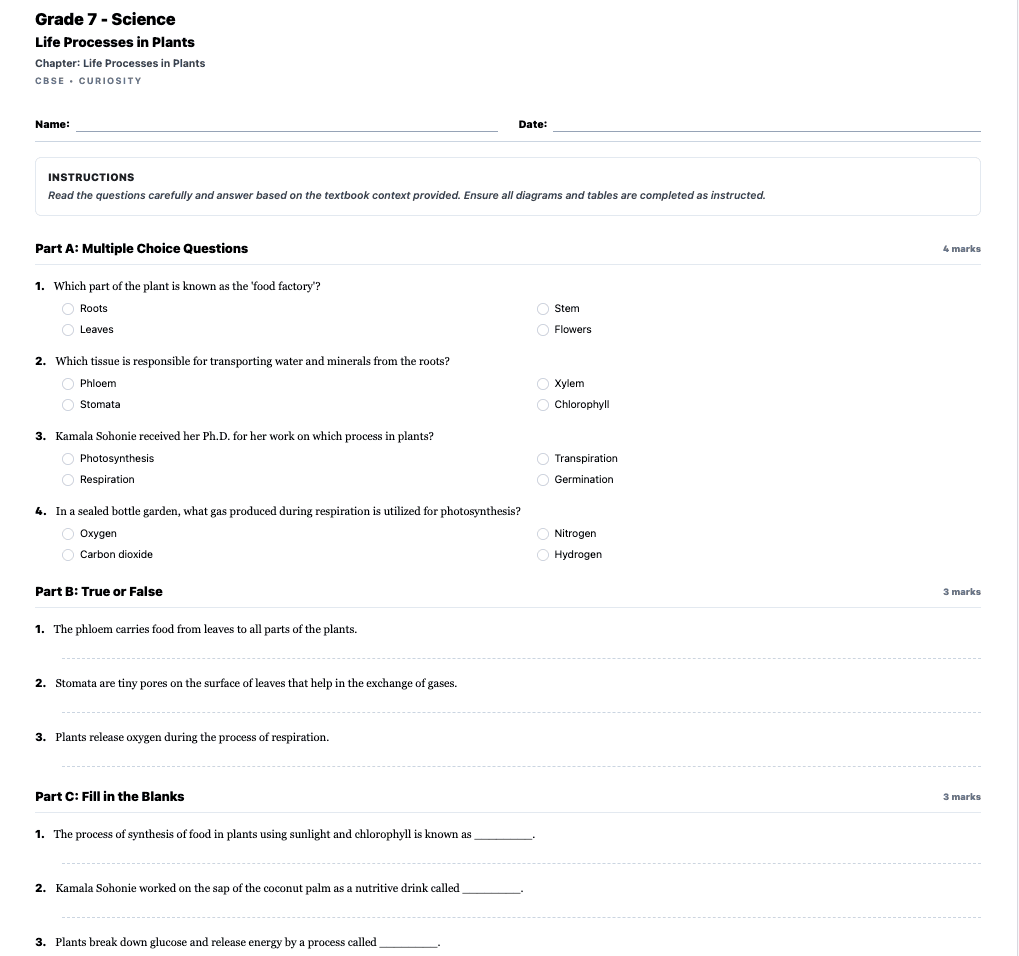
OneSkool can generate worksheets with answer keys so teachers can quickly review student responses, prepare homework checks, or create self-practice material. Teachers can use answer-supported worksheets for classroom practice, revision, remedial work, and quick assessments.
A worksheet with answers saves time during homework checking and makes revision practice easier for both teachers and students.
OneSkool creates editable worksheets that teachers can review, customize, and use for classroom teaching, homework, revision, or school records. You can adjust the questions, add instructions, include marks, and prepare the worksheet in a format that fits your classroom needs.
Use your generated worksheet as a printable worksheet, homework worksheet, revision worksheet, or class test practice sheet. If PDF export is enabled in your OneSkool setup, teachers can also download the final worksheet as a PDF for easy printing and sharing.
OneSkool supports textbook-based worksheets for Indian classrooms. It can be useful as an NCERT worksheet generator, JKBOSE worksheet generator, and textbook-based worksheet generator because teachers start with the school curriculum, selected textbook, and chapter topic.
Teachers can prepare chapter-based worksheets for practice, revision, homework, and classroom assessment while keeping the worksheet aligned with what students are studying.
Explore worksheet formats, examples, printable worksheets, answer keys, and subject-wise practice resources for classroom teaching.
FAQ
A worksheet generator is a tool that helps teachers create practice questions, revision exercises, homework sheets, and assessment material for a topic or chapter.
Teachers select the board, class, subject, textbook, chapter, question types, difficulty level, and language. OneSkool then creates a worksheet based on the selected chapter.
Teachers can start creating worksheets on OneSkool for free. Some advanced features, higher usage limits, exports, and saved resources may depend on the selected plan.
Yes. OneSkool can create worksheets with answer keys so teachers can save time while checking homework, revision work, and classroom practice.
Yes. OneSkool helps teachers prepare worksheets that can be used for printing, sharing, homework, and classroom practice. PDF export depends on the available product features.
Teachers can create MCQ worksheets, fill in the blanks worksheets, short answer worksheets, true or false worksheets, matching worksheets, and mixed practice worksheets.
Yes. OneSkool is designed for textbook-based worksheet creation, which makes it useful for NCERT, JKBOSE, and other curriculum-based classroom needs.
Yes. Teachers should be able to review, edit, and customize generated worksheets before using them in class.
Yes. Teachers can create homework worksheets, revision worksheets, classroom practice sheets, and quick assessment worksheets from selected textbook chapters.
OneSkool can support worksheet creation in English or Hindi depending on the available product language settings.
Choose the chapter you are teaching and let OneSkool prepare a ready-to-use worksheet with practice questions, answer keys, and classroom-friendly formatting.