What is a classroom activity generator?
A classroom activity generator is a tool that helps teachers create active learning tasks, group work exercises, discussion prompts, warm-ups, and exit tickets tied to a textbook chapter.
Create textbook-based classroom activities in seconds. Select your board, class, subject, textbook, chapter, topic, activity type, duration, group size, and language. OneSkool creates ready-to-use activities for warm-ups, group work, discussion, hands-on learning, recap, and student engagement.
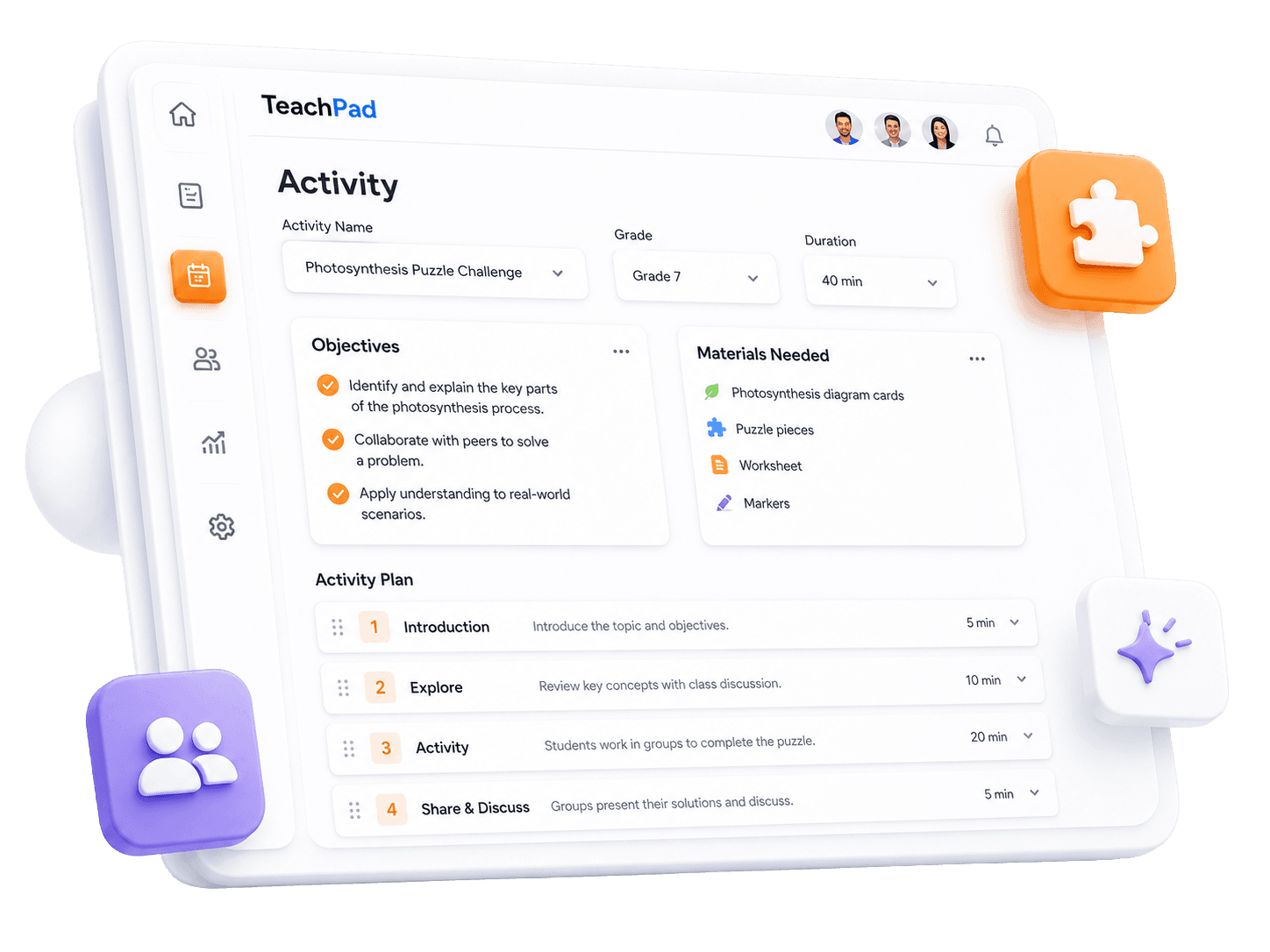
OneSkool works as a classroom activity generator for teachers who want activities connected to the exact chapter they are teaching. Use it as an activity generator for teachers, teaching activity generator, or lesson activity generator when you need textbook-based activities for real classroom use.
It helps school teachers, tutors, coaching teachers, and academic content creators prepare chapter-based warm-ups, group tasks, discussions, hands-on tasks, recap activities, and quick assessment activities.
Select board/curriculum, class, subject, textbook, and chapter.
Choose group size, activity duration, and activity type.
Generate explanation and active learning tasks from the chapter flow.
Create warm-ups, exit tickets, and team discussion prompts.
Avoid starting student collaboration tasks from a blank sheet.
Useful for school teachers, tutors, coaching teachers, and academic content creators.
Activity plan
Create classroom activities with learning goals, materials, group setup, teacher steps, student instructions, discussion prompts, and quick assessment.
Specific learning outcomes and curriculum objectives for the activity.
Complete list of teaching aids, worksheets, and resources needed.
Preparation details, grouping instructions, and step-by-step teacher prompts.
Clear instructions, task details, and questions for active student learning.
Activity types
Teachers need different activity types for different classroom goals. OneSkool can help create warm-up activities, group activities, hands-on activities, discussion activities, exit tickets, classroom games, and quick assessment tasks.
Short 5-10 minute task to introduce the topic and check previous knowledge.
Collaborative classroom tasks with defined roles and student steps.
Practical tasks, experiments, and exercises grounded in chapter topics.
Active debate prompts, think-pair-share ideas, and discussion questions.
Quick recap tasks to assess chapter understanding at the end of class.
How it works
Select the board, class, subject, textbook, and chapter.
Select activity type, duration, group size, and language.
OneSkool creates objectives, steps, and active prompts based on the chapter.
Review the activity plan, edit steps, add custom questions, and prepare it for classroom teaching.
Review a complete activity plan with objective, materials, teacher steps, student task, discussion questions, and quick assessment.
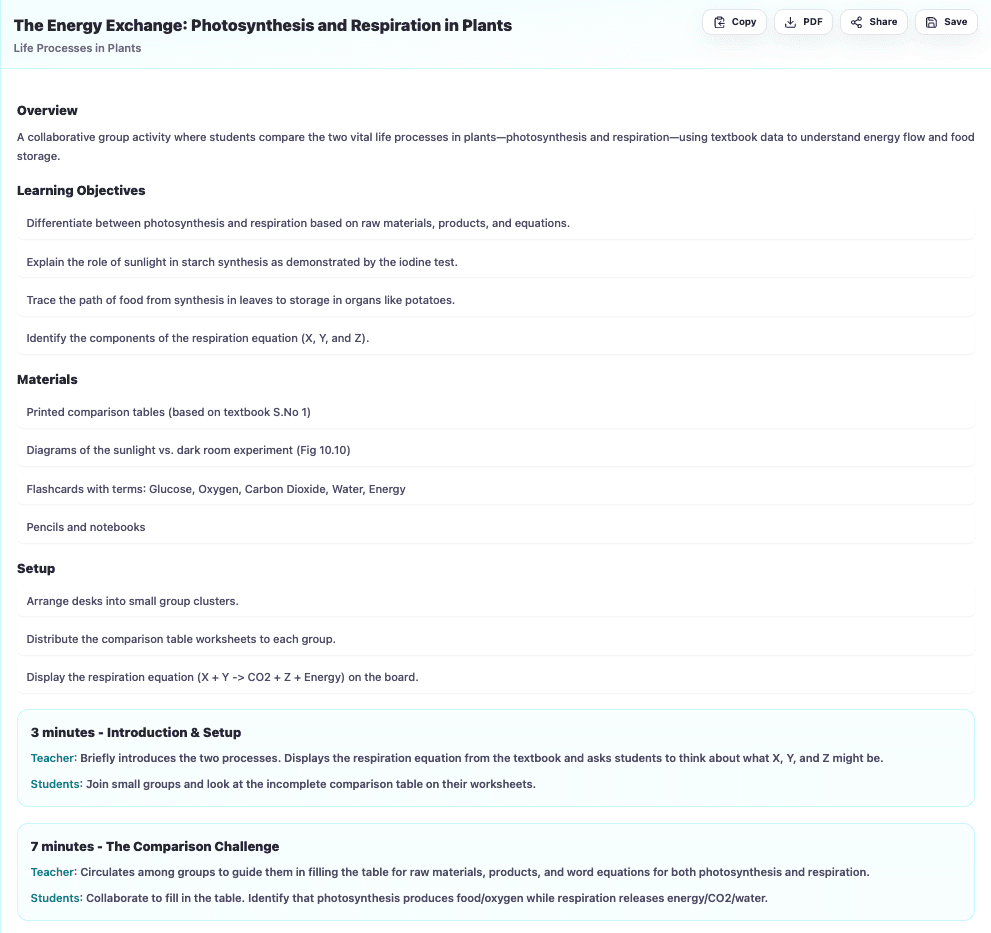
OneSkool can help teachers create short classroom activities that fit into daily teaching. Use warm-up activities to introduce a topic, and exit ticket activities to check what students understood before the class ends.
Use it as a warm-up activity generator, exit ticket generator, quick classroom activities helper, student engagement activities planner, or activity for lesson plan support.
OneSkool creates editable classroom activities that teachers can review, customize, and use for teaching, revision, discussion, or student engagement. You can adjust the activity steps, add your own examples, change the group size, and prepare the activity for your classroom situation.
Use your generated activity as a warm-up task, group activity, discussion activity, recap task, or lesson plan activity. If export is enabled in OneSkool, teachers can save or download the activity for classroom use.
OneSkool supports textbook-based activities for Indian classrooms. It can be useful as an NCERT activity generator, JKBOSE activity generator, and activity generator for Indian teachers because teachers start with the school curriculum, selected textbook, and chapter topic.
Teachers can prepare chapter-based activities for warm-ups, group work, discussion, hands-on learning, recap, and quick assessment while keeping the task aligned with what students are studying.
Related teacher tools
These tools support activity-based teaching, but the main focus of this page is creating classroom activities from textbook chapters.
Explore classroom activity ideas teachers can use for topic introduction, group work, revision, discussion, and quick assessment.
Explore warm-up activities, group activities, hands-on tasks, discussion prompts, exit tickets, and classroom games for daily teaching.
FAQ
A classroom activity generator is a tool that helps teachers create active learning tasks, group work exercises, discussion prompts, warm-ups, and exit tickets tied to a textbook chapter.
Teachers enter their textbook curriculum details: board, class, subject, textbook, and chapter. Then select group size, activity duration, and language. OneSkool creates active learning steps based on the chapter content.
Yes, teachers can start creating classroom activities on OneSkool for free. Advanced features, higher limits, exports, and saved resources may depend on the selected plan.
If PDF export is enabled in your OneSkool subscription, teachers can download generated activities as a PDF file for school lesson planning records.
Teachers can generate topic introduction warm-ups, active learning group tasks, hands-on lab experiments, think-pair-share discussion activities, exit tickets, and classroom recap games.
Yes, OneSkool supports classroom activity generation in English or Hindi depending on available settings.
Yes. Teachers can review, edit, change group instructions, add classroom-specific setup rules, and customize the plan inside OneSkool.
Yes. Because OneSkool is grounded in textbooks, teachers can select NCERT or CBSE books to generate curriculum-aligned classroom activities.
OneSkool activity plans include learning objectives, timing, required materials list, grouping ideas, step-by-step teacher instructions, student tasks, discussion questions, and exit recap checks.
An exit ticket is a quick 5-minute recap task given to students at the end of class to assess their understanding of the day's topic before they leave.
Choose the class, subject, topic, or chapter you are teaching and let OneSkool prepare a classroom activity with objectives, materials, teacher steps, student tasks, discussion questions, and quick assessment.