What is a notes generator?
A notes generator is a tool that helps teachers create structured summary outlines, terms, definitions, formulas, and explanation prompts for classroom teaching.
Create textbook-based notes in seconds. Select your board, class, subject, textbook, chapter, topic, note type, detail level, and language. OneSkool creates clear teaching notes, revision notes, short notes, chapter summaries, key points, and definitions for classroom teaching and student revision.
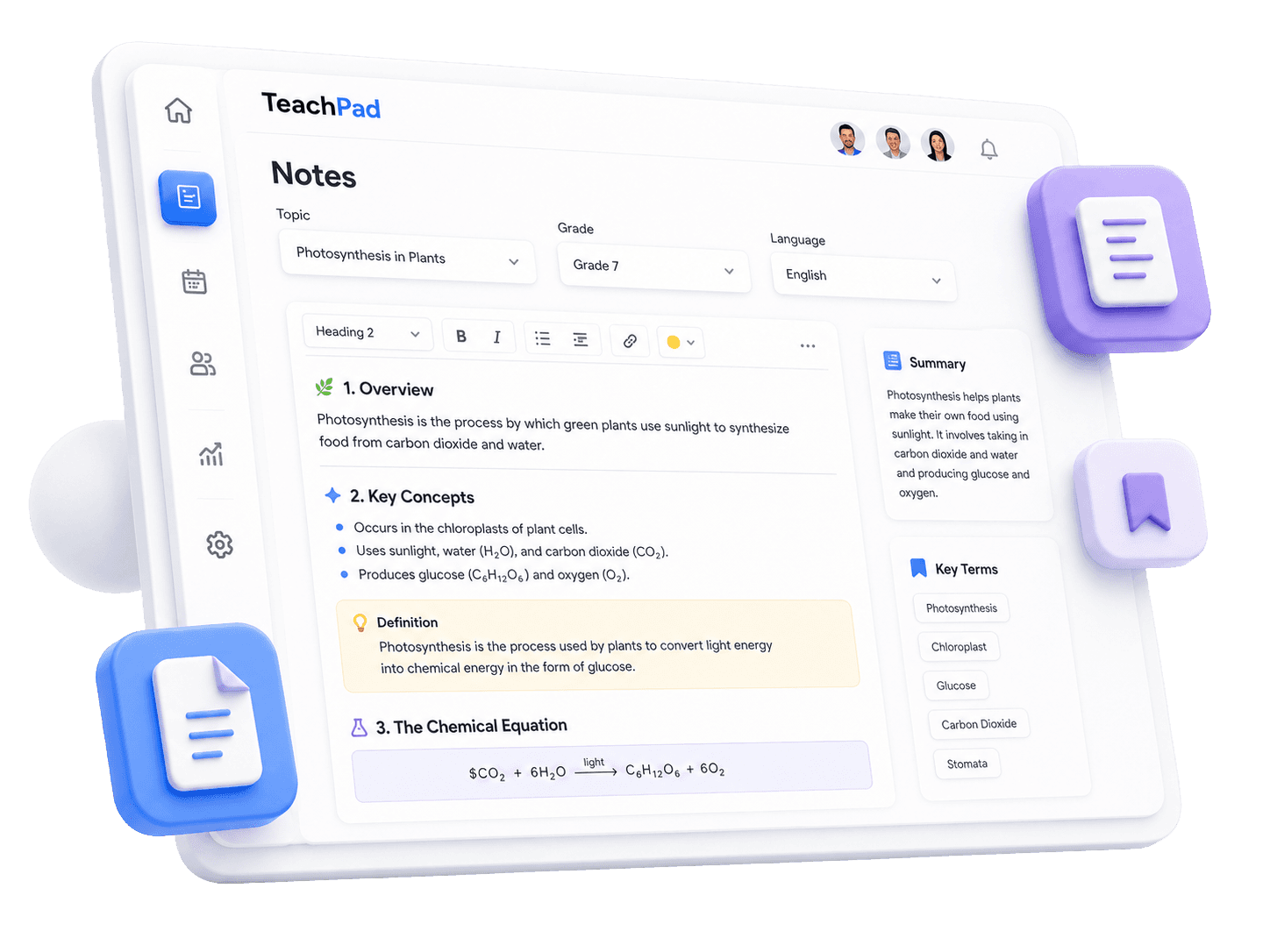
OneSkool works as a notes generator for teachers who want notes to match the chapter they are teaching. Use it as a revision notes generator, short notes generator, textbook notes generator, or teaching notes generator when you need clean study material without starting from a blank document.
It helps school teachers, tutors, coaching teachers, and academic content creators prepare chapter-wise notes for classroom explanation, homework support, and revision.
Select board/curriculum, class, subject, textbook, and chapter.
Choose detail level, detail preferences, and language.
Generate notes aligned with the chapter outline.
Create key points, revision summaries, and definitions.
Avoid starting revision handouts from a blank document.
Useful for school teachers, tutors, coaching teachers, and academic content creators.
Notes content
Create classroom notes with summaries, important points, definitions, explanations, examples, questions, and quick recap sections.
Concise outline, summaries, and key concepts from the selected textbook chapter.
Highlighted formulas, definitions, equations, and main terms with clear explanations.
Structured points, examples, and details designed for blackboard explanation and lesson revision.
Key questions, quiz prompts, and active checks to support notes-based learning.
Notes types
Teachers need different types of notes for different classroom needs. OneSkool can help create revision notes, short notes, summaries, definitions, student notes, and teacher explanation notes.
Summarize key formulas, main concepts, and terms before class tests or school exams.
Concise study sheets with definitions and main chapter topics.
Overview of the textbook chapter structure, main ideas, and learning details.
Teachable explanation flow, points, and examples for school teachers.
How it works
Select the board, class, subject, textbook, and chapter.
Select note type, detail level, language, and teaching preferences.
OneSkool creates summaries and explanation points based on the chapter.
Review the notes, edit wording, add questions, and prepare them for revision or study handouts.
Review a generated notes preview with headings, bullets, highlighted definitions, and a quick recap that teachers can edit before class.
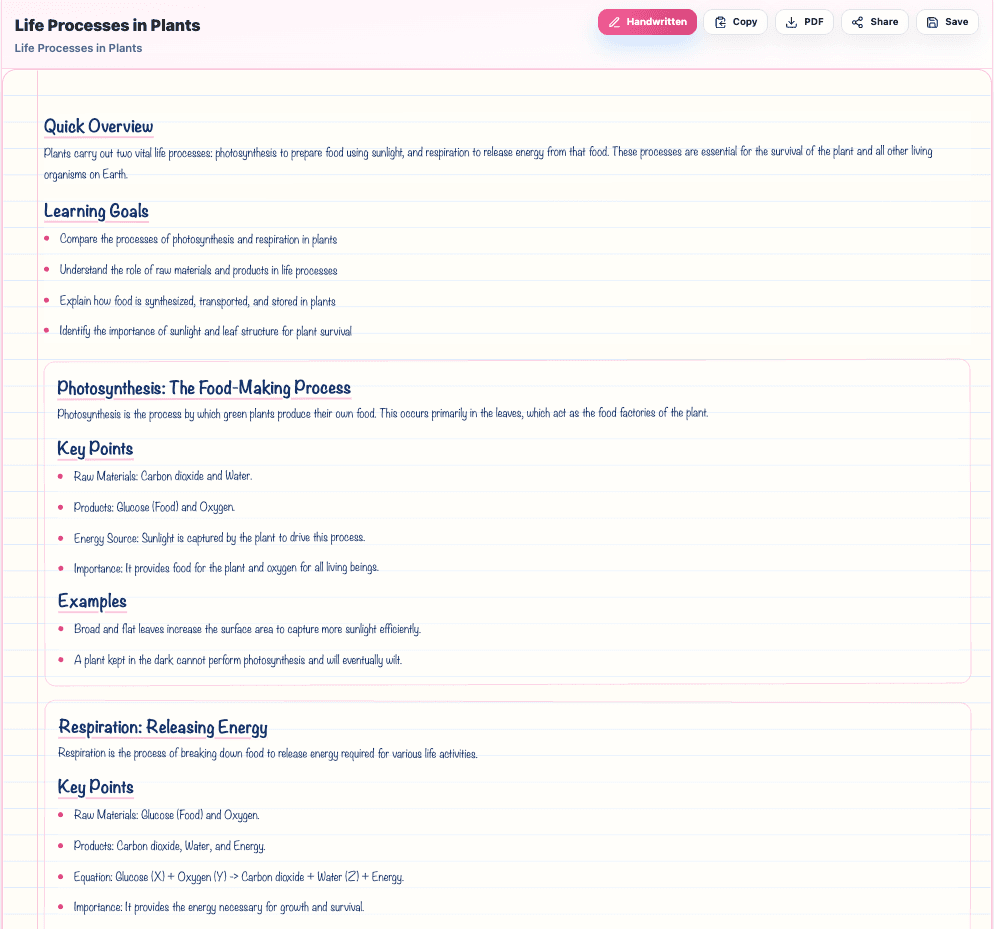
OneSkool can help teachers create revision notes that are simple, organized, and easy for students to understand. Teachers can use these notes for classroom explanation, homework support, test preparation, and quick revision before exams.
Create revision notes, short notes, chapter-wise notes, notes for students, study material, and important points that support daily teaching and exam preparation.
OneSkool creates editable notes that teachers can review, customize, and use for classroom teaching, revision, homework support, or student study material. You can adjust the explanation, add examples, include important questions, and prepare the notes in a format that fits your classroom needs.
Use your generated notes as revision notes, short notes, chapter summary notes, or student handouts. If PDF export is enabled in OneSkool, teachers can download the final notes as a PDF for easy sharing and printing.
OneSkool supports textbook-based notes for Indian classrooms. It can be useful as an NCERT notes generator, JKBOSE notes generator, and textbook notes generator because teachers start with the school curriculum, selected textbook, and chapter topic.
Teachers can prepare chapter-wise notes for classroom explanation, revision, homework support, and student study material while keeping the notes aligned with what students are studying.
Related teacher tools
These tools support note-based teaching, but the main focus of this page is creating textbook-based notes and revision material.
Explore common notes formats teachers use for classroom explanation, revision, homework support, and exam preparation.
Explore revision notes, short notes, chapter summaries, definitions, important questions, and subject-wise study material for classroom teaching.
FAQ
A notes generator is a tool that helps teachers create structured summary outlines, terms, definitions, formulas, and explanation prompts for classroom teaching.
Teachers select the board, class, subject, textbook, chapter, note style, detail level, and language. OneSkool generates clear chapter-based notes from the selected curriculum details.
Yes, teachers can start creating chapter-wise notes on OneSkool for free. Advanced features, higher usage limits, exports, and saved resources may depend on the selected plan.
If PDF export is enabled in your OneSkool subscription, teachers can download notes as a PDF file for school records, printing, or student sharing.
Teachers can generate revision notes, short notes, chapter summaries, key points lists, definitions notes, and student study handouts.
Yes. OneSkool supports note generation in English or Hindi depending on available product settings.
Yes. Teachers can review, edit, reorganize, and customize notes inside OneSkool before saving or exporting them.
Yes. Since OneSkool is textbook-grounded, teachers can choose NCERT, JKBOSE, or other state curriculums to prepare chapter-aligned notes.
Revision notes focus on important exam topics, key questions, and recap points. Short notes are concise summaries of definitions, terms, and core concepts.
Yes, OneSkool notes templates can include quick checks, important chapter questions, exit questions, and active recall prompts at the end.
Choose the class, subject, topic, or chapter you are teaching and let OneSkool prepare clear notes with summaries, key points, definitions, examples, and revision-friendly formatting.